
Figma plugin
Font Scanner for Figma
See every font family, weight, and size in your file — select all matching text layers in one click.
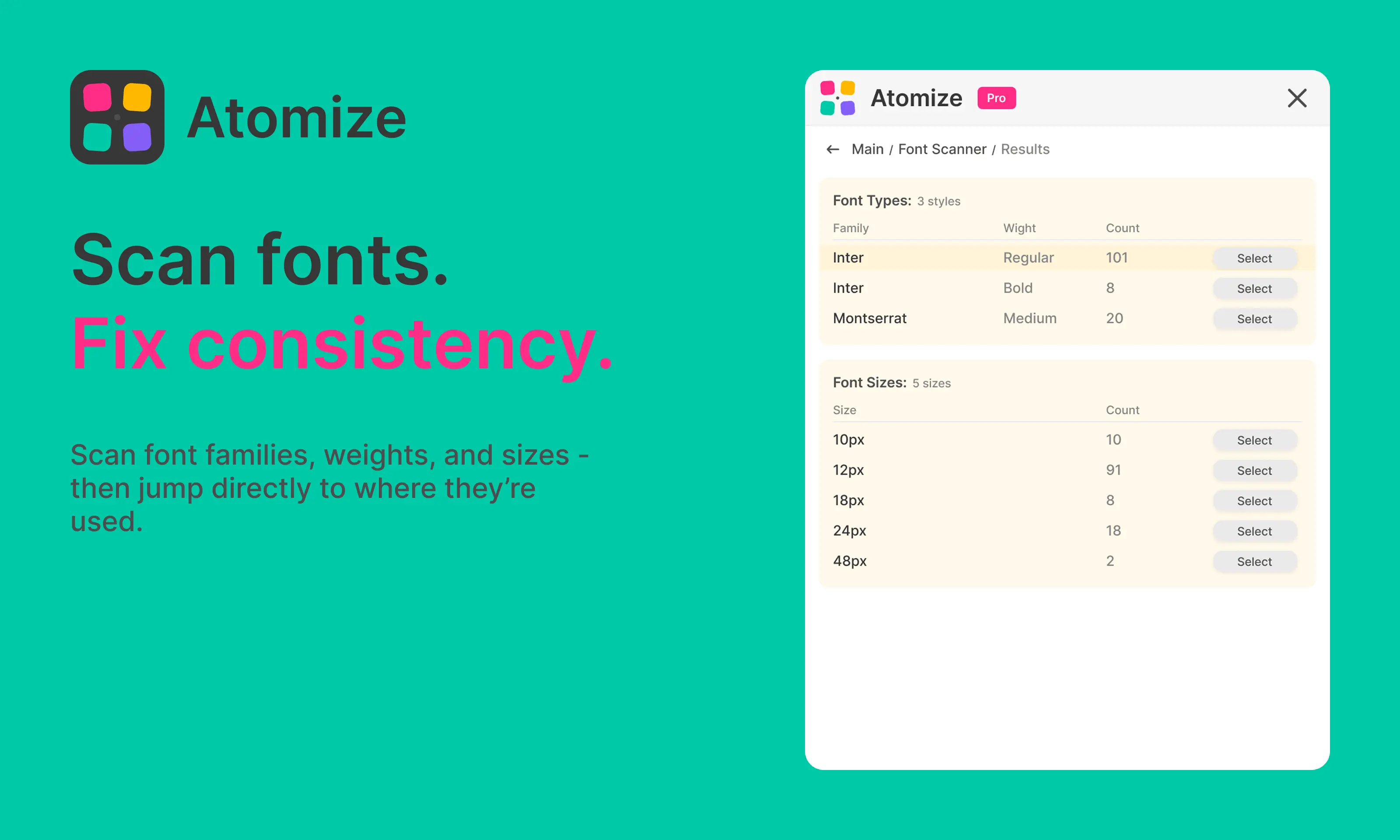
Font Scanner is Atomize's typography inventory for Figma. It counts every font family + weight combination and every font size used in your selection, current page, or entire file — then lets you select all matching text layers on the active page. Atomize handles mixed-style text runs (different weights or sizes inside one text node) the way designers actually set type.
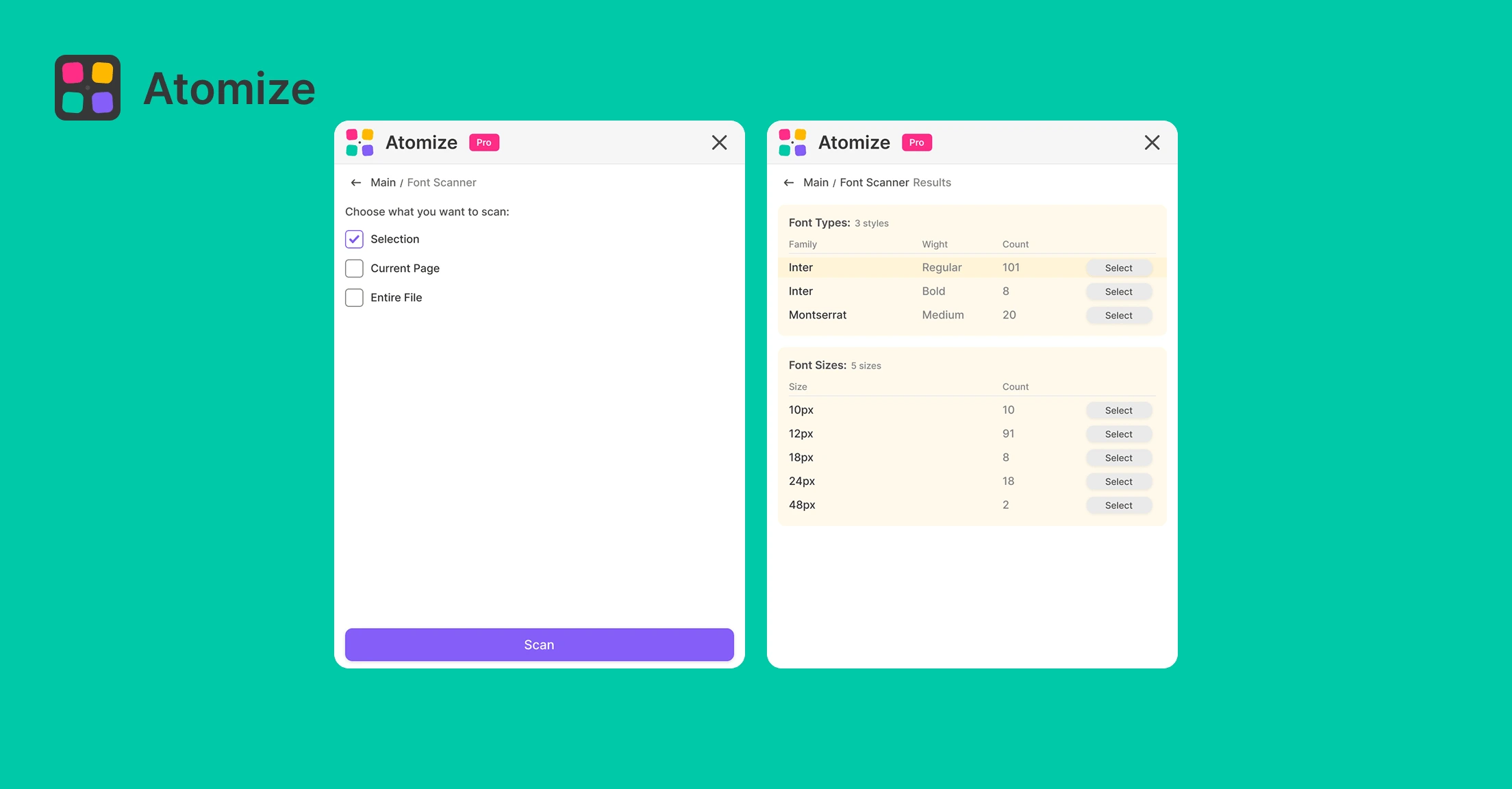
In short
- Scopes: Selection, Current Page, or Entire File.
- Two tables: Font Types (family, weight/style, count) and Font Sizes (px, count).
- Select highlights every matching
TEXTnode on the current page and zooms to the selection. - No variable-binding check — pure typography audit (pair with Find Untokenized Values for token drift).
- Ideal before consolidating type styles or aligning with a design tokens scale.
Who this is for
Brand and design-system teams auditing font proliferation after imports, rebrand leftovers, or multi-vendor libraries. Designers cleaning rogue 14px / 15px / 16px stacks before binding typography variables. Teams preparing font licensing reviews — see exactly which families appear in production files. Font Scanner does not judge token compliance; it answers "what fonts are we actually shipping?"
How it works in Atomize
- Dashboard → Font Scanner.
- Choose scope — file scope walks all pages (with performance notice on large files).
- Click Scan; progress reports nodes visited.
- Review Font Types and Font Sizes tables with occurrence counts.
- Click Select on a row to gather matching text layers on the current page.
- Rebind or restyle selected layers, then rescan to confirm counts dropped.
Mixed text and real-world files
Marketing headlines often mix bold and regular in one text box. Font Scanner iterates character ranges so each weight and size is counted correctly — not averaged into one misleading row. Counts reflect text nodes, not glyph instances, which matches how designers fix components.
Pair with token workflows
- Inventory fonts → bind sizes and families to Variables → run Find Untokenized Values to catch stragglers.
- Renaming typography tokens → Find & Replace Variables to update alias references across collections.
- Align sizes to your type ramp from design system best practices.
- After typography cleanup, run Contrast Audit on text/background pairs.
FAQ
Not today — use it for live inventory and bulk selection. For property-level exports across colors and spacing, use Find Untokenized Values or Contrast Audit.
Figma selection is page-scoped. After a file-wide scan, switch to the page you are fixing and Select gathers matches there. Repeat per page or narrow scan scope to the page you are editing.
It reports family names and styles Figma exposes on text nodes. Missing fonts still appear as unresolved family names — useful for spotting broken imports.
Deep-dive guide
For workflows, examples, and design-system context, read the full blog article on this topic.
Read the blog guide →Other features
-
Find Untokenized Values in Figma
Scan every layer for hardcoded values that bypass Figma Variables — grouped by property type with export-ready reports.
Read guide → -
Contrast Audit for Figma
Bulk WCAG contrast check with real layered backgrounds — failures grouped by token, not just by layer.
Read guide → -
Find & Replace Variables in Figma
Replace one variable with another across every alias in your token library — preview affected variables, select what to update, confirm in one flow.
Read guide → -
Atomize — 11 Languages
Atomize speaks your language — 11 UI languages so every designer on your team works in their native interface.
Read guide →