Design system maturity describes how far a team has moved from a static Figma UI kit to a governed, cross-discipline platform - a progression formalized in the Wikipedia definition of design systems. Most product teams self-report Level 2 or early Level 3: shared components and a published library, but uneven governance, tokens, or multi-team adoption. Knowing your level replaces vague roadmap anxiety with a concrete next step. Use the Figma design tokens guide as the technical baseline, then score the five levels below and prioritize fixes at each stage.
Related workflows: what a design system is (definition and four layers), how to build a design system in Figma (step-by-step build after you score your level), and Figma design system best practices (governance, naming, and code sync habits).
In short
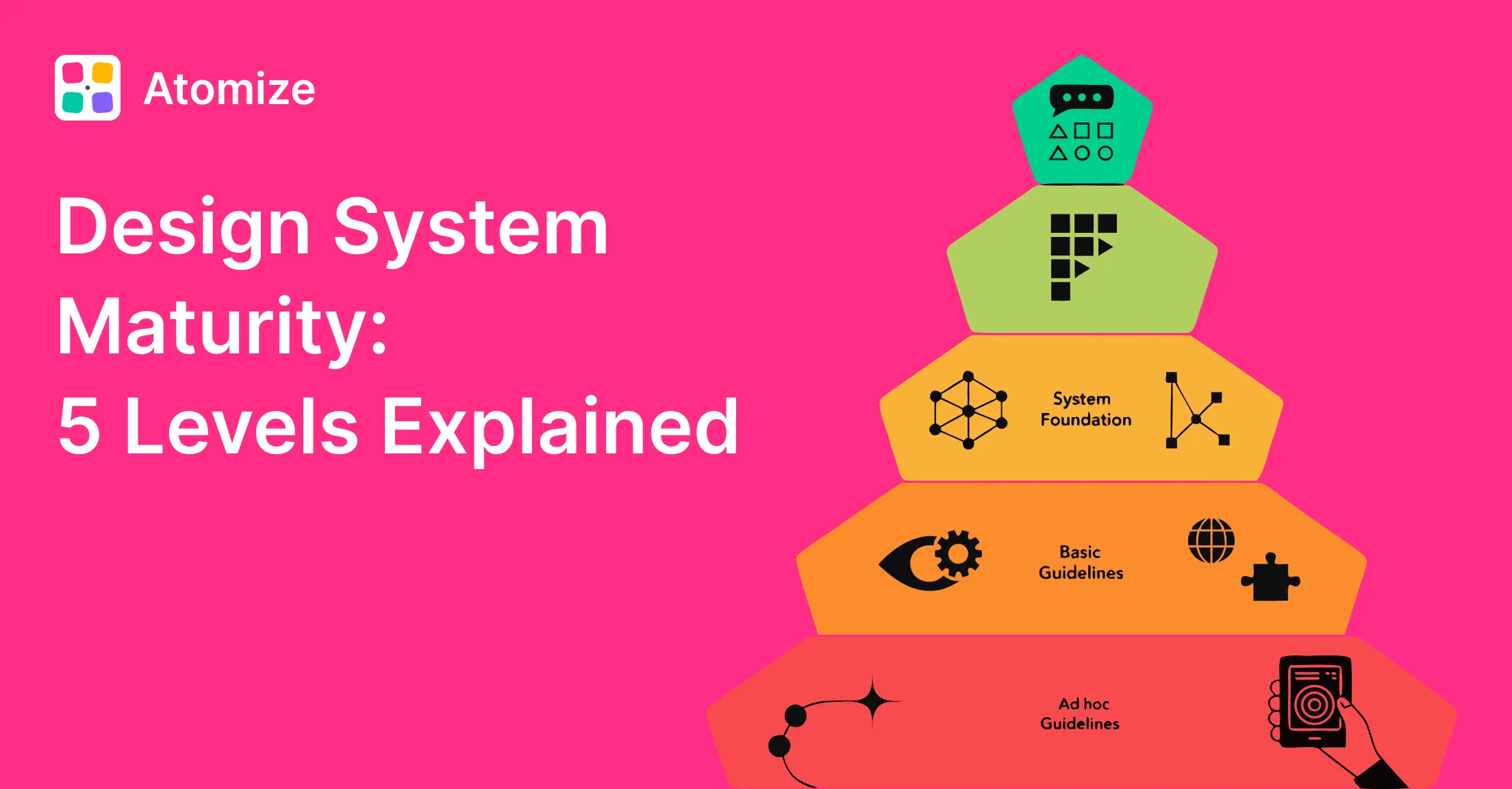
- Five levels: UI Kit → Design Library → Design System → Scaled System → Public System (Level 5 is optional for most companies).
- Model: Atomize’s practical synthesis - informed by public systems and common design-ops practice, not a single industry standard.
- Measure: six-dimension scorecard (0-2 each) maps roughly to Levels 1-4 for internal product orgs.
- Examples: startup (L1), scale-up library (L2), SaaS with tokens in code (L3), Atlassian (L4), Material Design (L5 reference).
- Most product teams should aim for a solid Level 3; Level 4 for multi-product orgs.
About this maturity model
This five-level model is an editorial framework published by Atomize for product teams assessing design system progress. It is not an official certification standard. It synthesizes patterns seen across design-ops practice: library governance (common in enterprise playbooks), token-and-code parity (aligned with the W3C Design Tokens Community Group), and scaled or public systems described in resources such as Nielsen Norman Group on design systems, Salesforce Lightning Design System, Atlassian Design System, and Material Design. Other teams publish their own maturity ladders; use this model as a working map, then calibrate scores against your org.
What design system maturity means
Design system maturity is a structured way to assess where your system stands across documentation, governance, tooling, team structure, and adoption. A mature design system is not just a large Figma library - it is shared infrastructure that connects design decisions to production code, spans multiple products when needed, and has named ownership. For teams defining the baseline first, see what a design system is before scoring maturity.
The five design system levels at a glance
Design system maturity levels
| Level | Name | Core characteristic | Key missing piece |
|---|---|---|---|
| 1 | UI Kit | Shared Figma styles and components | No governance or process |
| 2 | Design Library | Published library with usage guidelines | No code connection, no dedicated owner |
| 3 | Design System | Tokens, code sync, cross-discipline team | No multi-product support |
| 4 | Scaled System | Multi-product, contribution model, CI/CD | No external visibility or community |
| 5 | Public System | Industry-facing or open platform (optional) | Not required for most product companies |
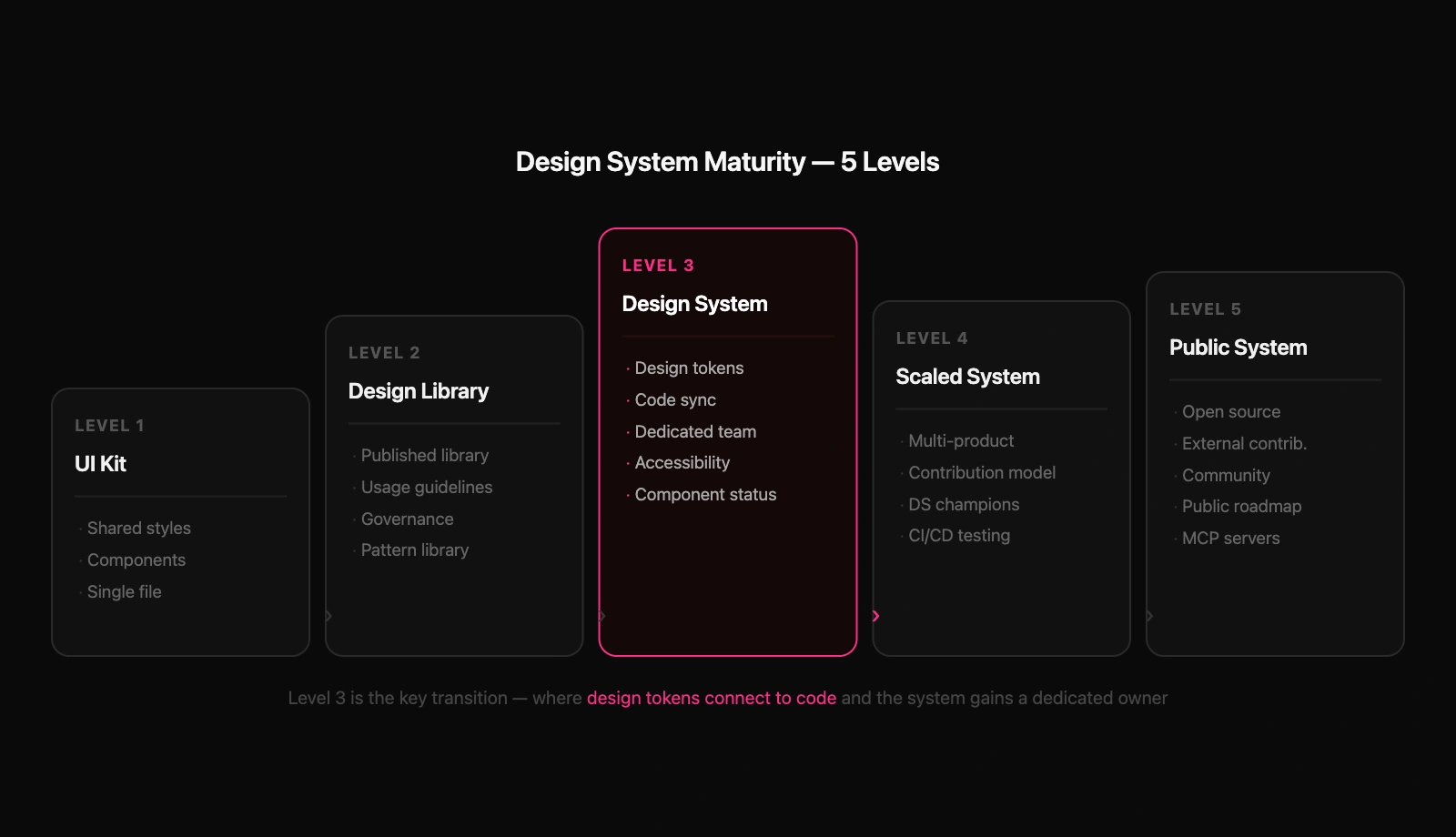
Real-world examples by level
Labels are illustrative profiles, not audits of those organizations’ internal ops. They show what each level tends to look like in the market.
Reference profiles by maturity level
| Level | Typical org profile | Reference example |
|---|---|---|
| 1 | Startup, one product, one designer | Early-stage team with a shared Figma UI kit, no published library process |
| 2 | Scale-up, design-led | Growing company with a published Figma library and informal guidelines |
| 3 | SaaS with design-engineering alignment | Product company with semantic tokens in Figma and consumed in production code |
| 4 | Multi-product enterprise | Atlassian Design System - contribution model across products |
| 5 | Industry platform (strategic, rare) | Material Design - public docs, external influence; most teams stop at Level 4 internally |
Levels 1 and 2: Early stages
At Level 1, the system is a single Figma file - a UI kit. It provides a shared reference for colors, text styles, and components, which is enough for a solo designer or a small team on one product. There is no formal governance, no maintainer expectation, and no documented contribution process. Many startups begin here, which is appropriate for the stage.
Level 2 emerges when a team publishes the Figma library and wraps process around it. Usage guidelines, naming conventions, and a pattern library appear. Someone - even part-time - reviews updates and communicates changes. Design system thinking starts here. Without basic governance, a library stays at Level 1 regardless of component count.
- Level 1 signals: single file, no published library, components duplicated across projects, no named maintainer
- Level 2 signals: shared Figma library used across teams, contribution process exists, updates reviewed before publish
- Common mistake: growing component count without governance - more components at Level 1 does not advance maturity
Level 3: The real design system
Level 3 is the most significant transition - where a design system earns its name. Design, engineering, content, and accessibility share one source of truth. A dedicated design system role or small team exists. Design tokens replace raw Figma styles and are consumed in production code.
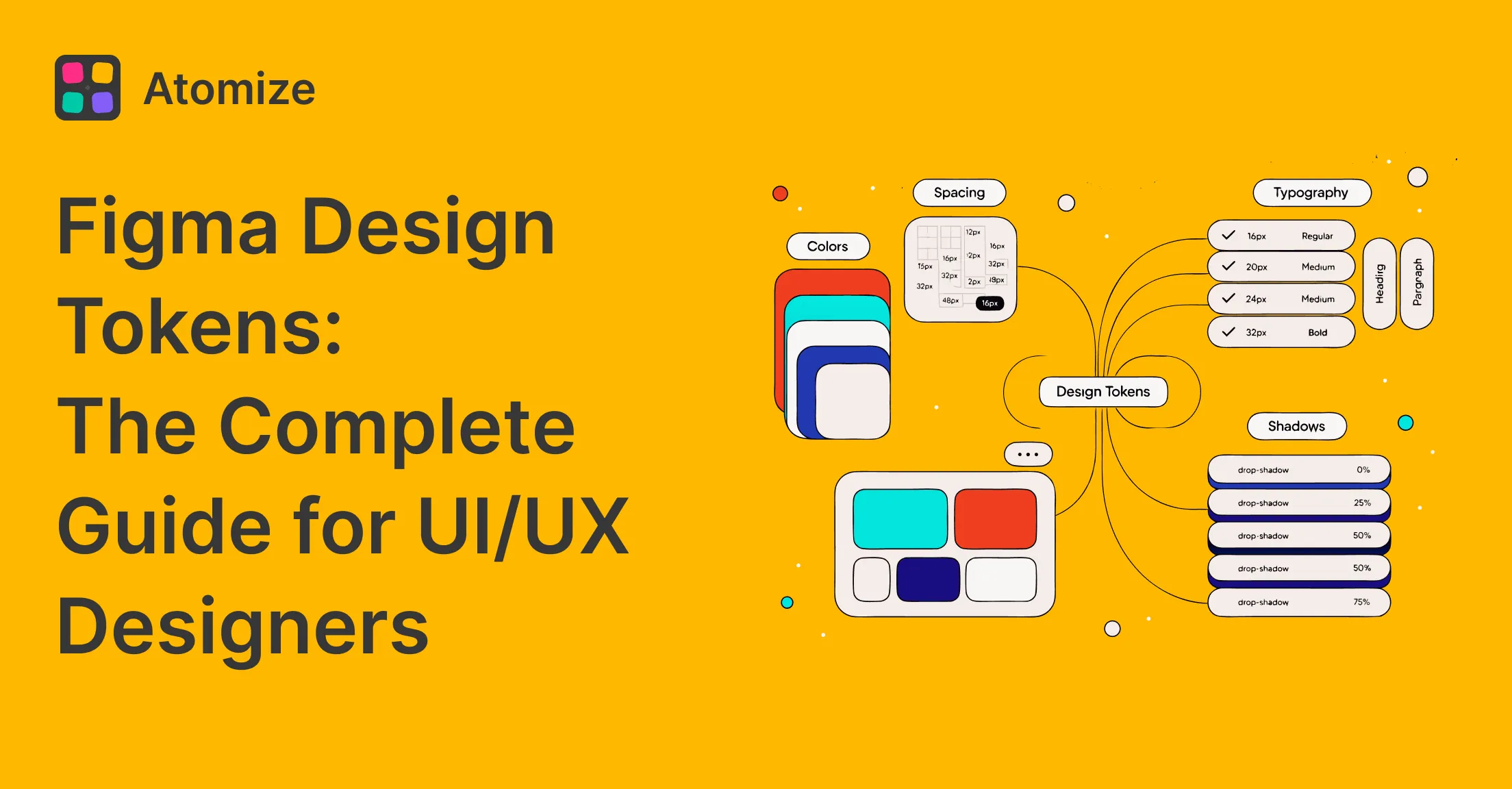
Tokens are the clearest technical signal of Level 3. A Level 2 library uses local Figma styles with raw values; Level 3 adds a semantic layer aligned with the W3C Design Tokens Community Group specification - expressed in Figma via Variables and in code via Style Dictionary.
/* Level 2: raw values assigned directly in Figma styles */
color/blue-500   =  #3b82f6
color/gray-900   =  #111827

/* Level 3: semantic token layer on top */
color/blue-500          =  #3b82f6
background/interactive  →  color/blue-500
text/on-interactive     →  color/white
border/focus            →  color/blue-500
In Atomize token scans, files that self-identified as Level 2 or early Level 3 often showed primitives present but components bound to blue/600 instead of interactive/default - a reliable signal the semantic layer (and dark mode, theming, clean CSS export) is not in place yet.
- Dedicated design system owner or team
- Design tokens with semantic naming connected to Figma Variables
- Code sync: tokens in a shared repo consumed by engineering
- Accessibility built into components, not only audited later
- Component status page (stable, beta, deprecated)
- Office hours or system reviews with product teams
- Release notes and shared vocabulary across design and engineering
Levels 4 and 5: Scaling and going public
Level 4 systems support multiple products from one source. That requires a contribution model - product teams propose, build, and merge components back into the system. Champions in product teams handle day-to-day questions. Advanced theming, visual regression testing, and CI/CD are common. Shopify Polaris is another public example of scaled-system depth alongside Atlassian.
Level 5 is an optional strategic tier for systems that influence the industry, not a quality badge every company needs. Public documentation, external contributions, and community programs - as with Material Design - sit here. For most product companies the practical ceiling is Level 4 internally; treat Level 5 only when external influence is a deliberate goal.
How to measure design system maturity
Use a simple scorecard before the five yes/no questions below. Score each dimension from 0 to 2: 0 = missing, 1 = started but inconsistent, 2 = documented and routinely practiced. Add the six scores (maximum 12). This is a team self-assessment, not a certified audit.
Design system maturity scorecard
| Dimension | Score 0 | Score 1 | Score 2 |
|---|---|---|---|
| Governance | No contribution or review rules | Informal reviews | Published contribution and release process |
| Documentation | No usage guidelines | Partial docs for some components | Guidelines, status, and release notes maintained |
| Tokens | Raw styles or hex only | Primitives without semantic layer | Semantic tokens bound in Figma Variables |
| Code sync | Design-only artifact | Tokens exported but rarely used in prod | Production apps consume token CSS or equivalent |
| Adoption | One team only | Two teams with uneven usage | Multiple teams on the same library without forks |
| Ownership | No named maintainer | Part-time owner | Dedicated owner or core team with roadmap |
Total score to maturity level (internal product orgs)
| Total score (0-12) | Typical level | Notes |
|---|---|---|
| 0-2 | Level 1 | UI kit; prioritize publish + guidelines |
| 3-5 | Level 2 | Library; prioritize tokens + code sync |
| 6-8 | Level 3 | System; stabilize adoption before multi-product scale |
| 9-11 | Level 4 | Scaled; add contribution model and CI when L3 is stable |
| 12 | Level 4+ internally | Level 5 only if you also meet public/open criteria (external docs, community, industry reach) |
How to self-assess your maturity level
After the scorecard, run a team vote on these five checkpoints. The discussion often surfaces alignment gaps as valuable as the score.
- Is your Figma library published and actively used by teams other than the one that built it?
- Do you have documented usage guidelines and a review process for adding new components?
- Are design tokens defined with a semantic layer and consumed in production code?
- Is there a named owner or dedicated team responsible for the design system?
- Does the system support more than one product without a separate fork?
Yes to 1-2 but no to 3-5 suggests Level 2. Yes to all five suggests strong Level 3. If question 3 is uncertain, read the Figma design tokens guide. For the build sequence, see how to build a design system in Figma.
What to prioritize at each stage
What to build next at each maturity level
| Current level | Highest-value next step | What to avoid |
|---|---|---|
| Level 1 | Publish the library and write basic usage guidelines | Adding more components before governance exists |
| Level 2 | Introduce design tokens and establish a code sync process | Jumping to CI/CD or contribution models |
| Level 3 | Add multi-product support and a formal contribution model | Building advanced theming before adoption is stable |
| Level 4 | Evaluate whether public documentation creates strategic value | Open-sourcing before internal processes are solid |
A common Level 2 mistake is jumping toward Level 4 automation before tokens and design-to-code parity exist. Contribution models and CI/CD need that foundation.
Related Reading
- What Is a Design System? - definition, four layers, failure modes, and when to skip
- How to Build a Design System in Figma - step-by-step library setup after scoring your maturity level
- Figma Design Tokens: The Complete Guide - Variables, primitive/semantic layers, modes, and DTCG export
- Figma Design System Best Practices - governance, naming, accessibility, and code sync habits
Final verdict: design system maturity
Most product teams should aim for solid Level 3: tokens in code, a dedicated owner, accessibility built in. Level 4 fits multi-product orgs with bandwidth for a contribution model. Level 5 is strategic, not a default target. Score the six dimensions, pick the next step for your level, and resist skipping the Level 2 to Level 3 transition.