
Design System Audit Extension Installed!
1 Click the puzzle icon in the top right of your browser.
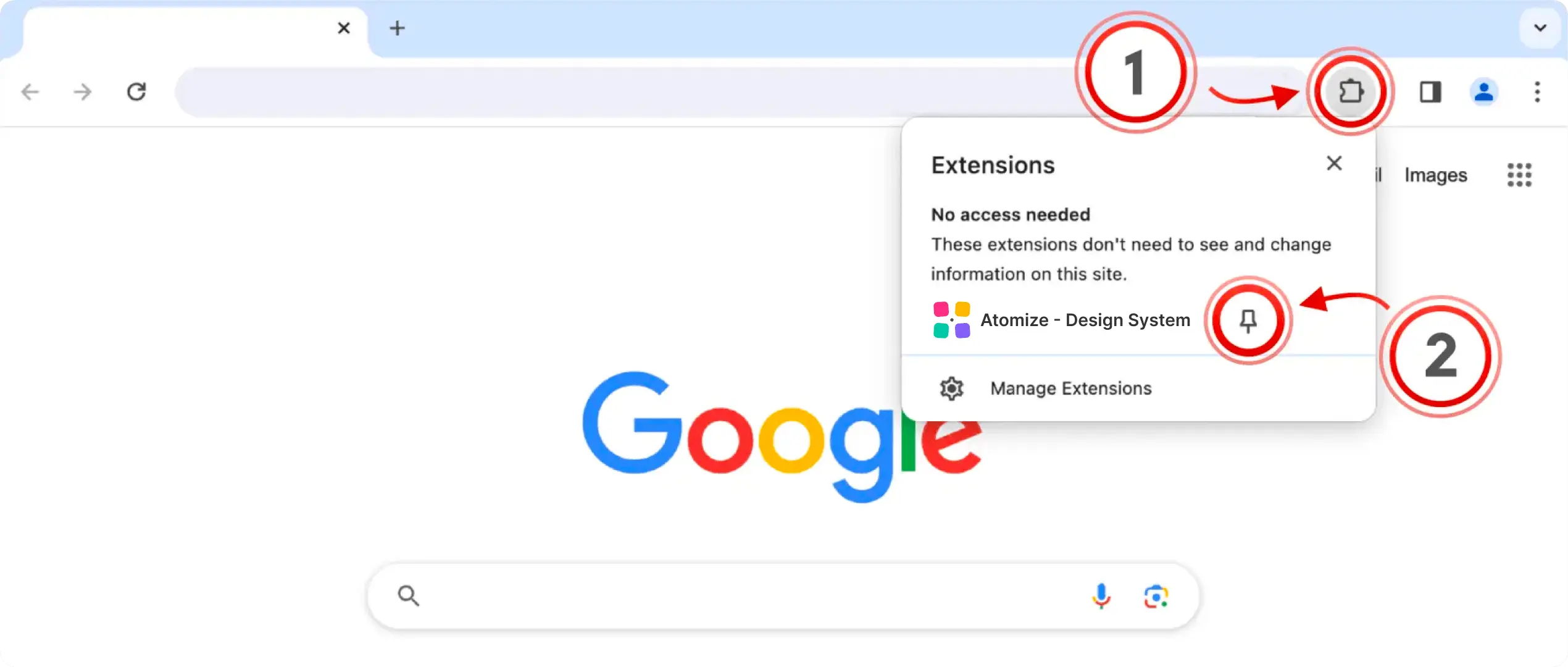
2 Click the pin icon next to the extension to pin it.

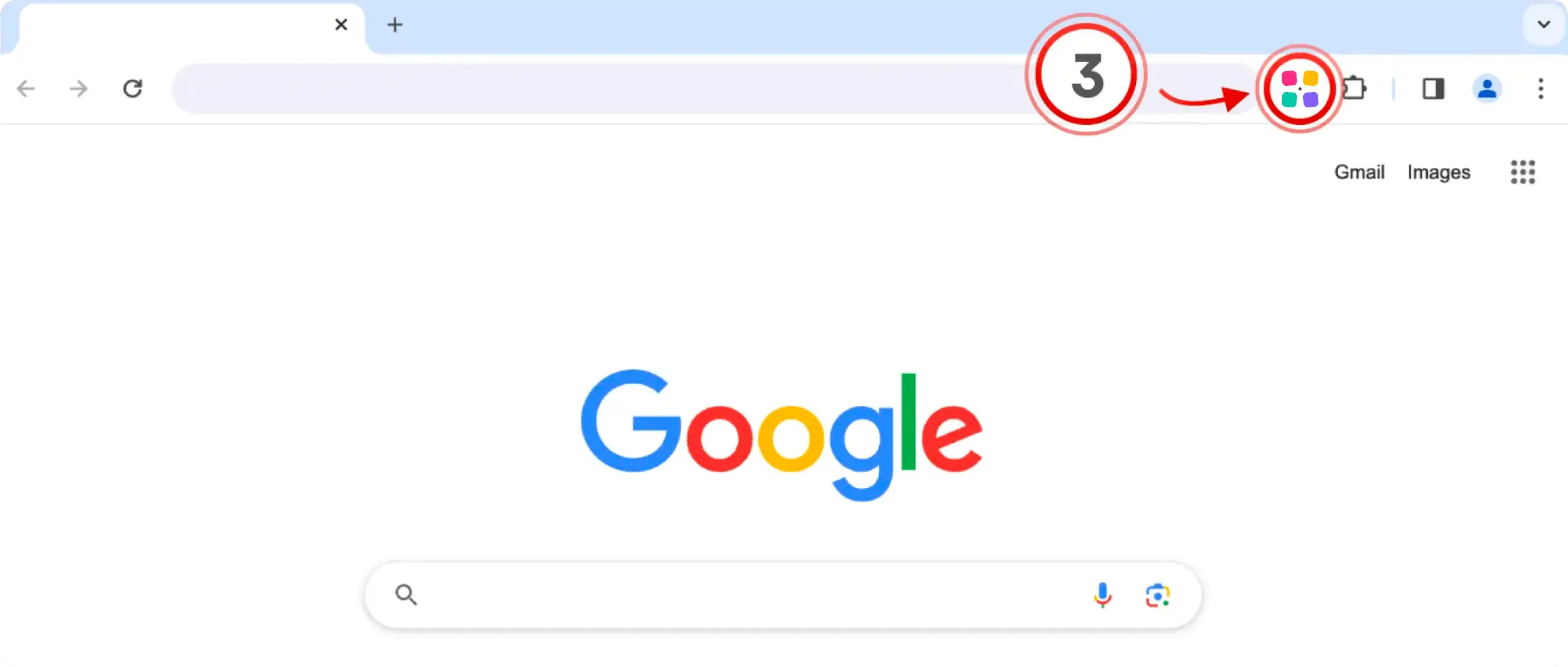
3 Finally, click the Atomize icon on any Figma page to open it.
4 Ready to start? Try the plugin on any Figma page and begin your first design audit.
Try it now