Figma vs Pencil: Which Tool Is Better for Design Systems?
Figma vs Pencil compared: Figma is the designer's standard; Pencil is an IDE extension with an AI-driven canvas that outputs production HTML, CSS, and React.
Figma and Pencil solve fundamentally different problems. Figma is a browser-based collaborative design tool built for designers — industry-standard for real-time multiplayer editing, prototyping, and stakeholder reviews. Pencil is an IDE extension (VS Code, Cursor) with an AI-driven design canvas where .pen files live directly in your repository and output production HTML, CSS, and React. The choice depends on one question: who does the design work on your team, and where do they work? If your team has dedicated designers, the answer is Figma. If engineers are the primary people designing UIs — especially with AI coding tools like Cursor or Claude Code — Pencil removes the context switch entirely.
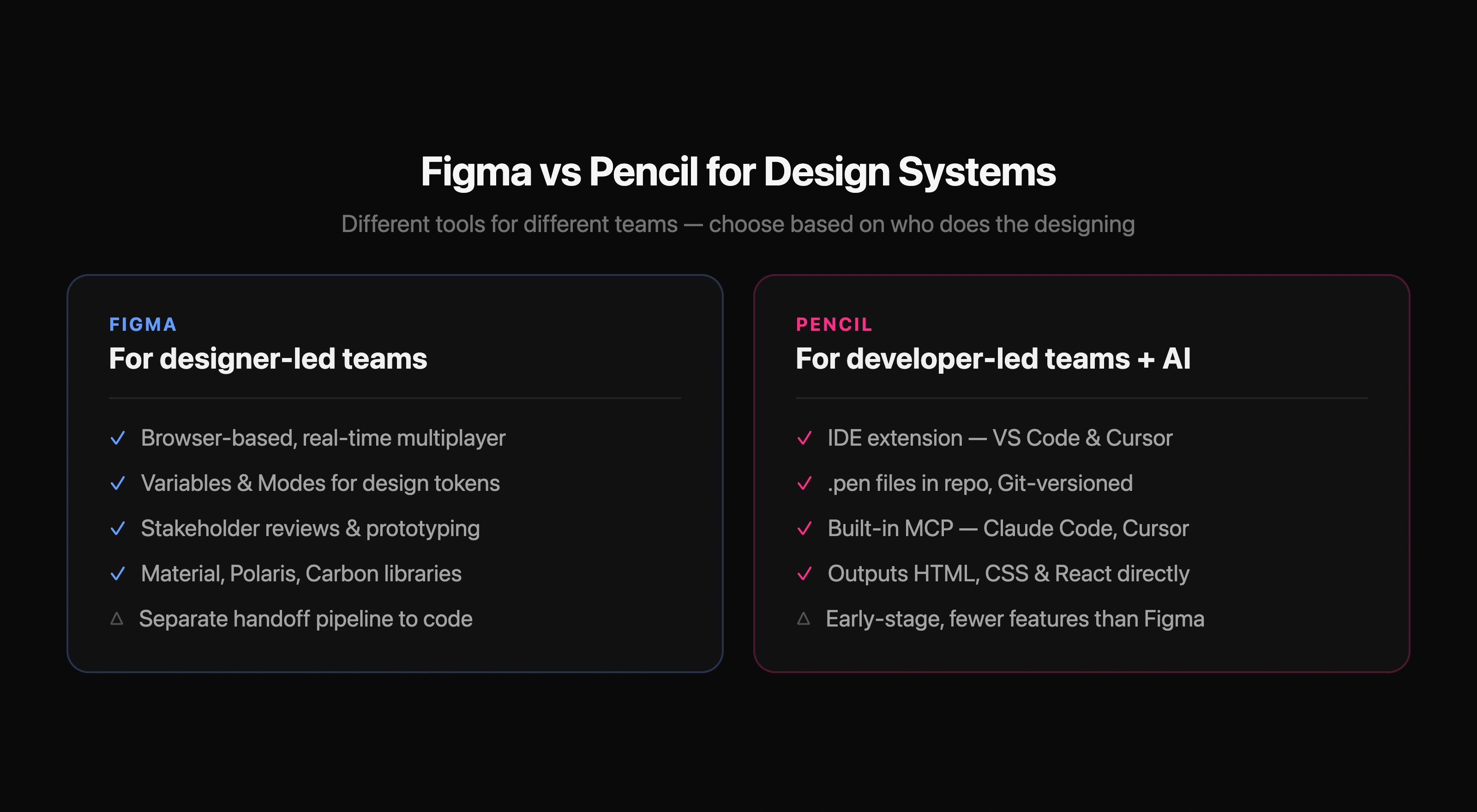
Figma vs Pencil — quick comparison
| Figma | Pencil | |
|---|---|---|
| Type | Browser/desktop design app | IDE extension + desktop app |
| Primary user | Designers | Developers / AI agents |
| File format | .fig (cloud, proprietary) | .pen (repo, open format) |
| AI integration | Via plugins | Built-in MCP server (Claude Code, Cursor) |
| Code output | Dev Mode inspection + plugins | HTML, CSS, React (pixel-perfect) |
| Collaboration | Real-time multiplayer web | Git-based |
| Design system | Variables, Components, Team Libraries | Brand kits, codebase import |
| Price | Free / paid plans | Currently free |
What is Pencil?
Pencil is a design canvas that lives inside your IDE — available as a VS Code extension, a Cursor extension, and a standalone desktop app. Its core idea is "design right where you code": you open a .pen file one tab away from your source code, design on an infinite canvas, and Pencil generates production-ready HTML, CSS, or React. The .pen files are plain text that live in your repository, so design changes are versioned, branched, and reviewed in Git just like code. There is no separate design app to switch to, no export step, and no handoff process.
The defining feature is the MCP (Model Context Protocol) server that Pencil runs automatically. This gives AI coding tools — Cursor, Claude Code, OpenAI Codex — full read and write access to the canvas. An AI agent can generate entire screens from a prompt, adjust components in context, or iterate on a layout while you write the corresponding logic. Pencil calls this "vibe designing": prompt-driven design at the speed of vibe coding, but with pixel-perfect precision because the output is always tied to real vectors.
What is Figma?
Figma is the industry-standard collaborative design tool — dominant because nothing else matches its real-time multiplayer editing, component system, and stakeholder presentation workflow. Variables and Modes handle design tokens natively, Dev Mode surfaces CSS values and component specs to engineers, and the plugin ecosystem covers nearly every design workflow. It runs in the browser, meaning any stakeholder with a link can view and comment without installing anything. For teams with dedicated designers who work in Figma all day, every day, the tool's maturity and ubiquity make it the natural default.
Design-to-code in Figma is not a built-in pipeline — it is assembled from separate tools. Designers use Variables to define tokens, export them via Tokens Studio or the REST API, transform them through Style Dictionary, and connect components to code via Code Connect or custom mappings. This pipeline works well when maintained carefully. The overhead of maintaining it — naming conventions, plugin versions, drift reviews — is the recurring cost of the design-first model.
The core difference: where design lives
The structural difference is not features — it is context. In a Figma workflow, design happens in Figma and code happens in the IDE. Handoff is a process that bridges the two environments: annotations, Dev Mode, Code Connect mappings, token exports. Every time something changes on the design side, the bridge has to be re-crossed. In a Pencil workflow, design and code live in the same environment — the IDE — and the .pen file is just another file in the repo. There is no bridge to cross because there are not two sides.
Figma and Pencil are not competing for the same user. Figma is for designers. Pencil is for developers who need to design — especially alongside AI coding tools.
Core comparison for design system teams
| Figma | Pencil | |
|---|---|---|
| Where design happens | Browser app (figma.com) | Inside VS Code / Cursor |
| Design files | Cloud, team workspace | Repo (.pen), Git-versioned |
| Who creates designs | Designers, sometimes devs via Dev Mode | Developers, AI agents |
| AI workflow | Plugins (third-party) | MCP server built-in (first-class) |
| Stakeholder review | Inline comments, presentations | PR review, code review |
| Token pipeline | Variables → export → Style Dictionary | Brand kits from codebase |
| Import from Figma | N/A | Copy-paste (vectors, text, styles) |
Design systems: Variables and tokens
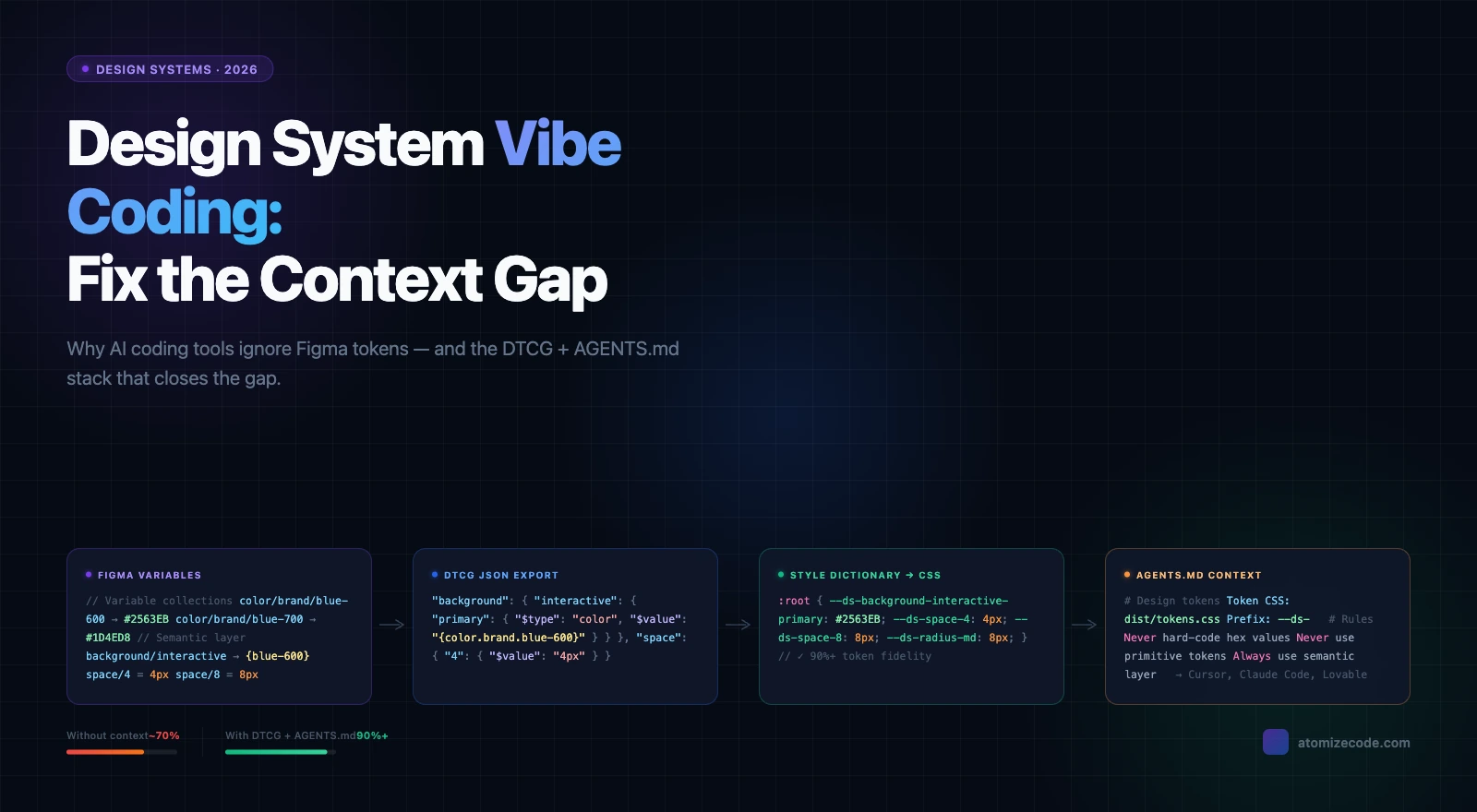
Figma's token system is the most mature in any design tool. Variables support a full primitive-to-semantic alias architecture with Modes for theming, and every professional design system — Material, Polaris, Carbon, Atlassian — ships a Figma library you can use as a starting point. The gap is that Variables live in the design file and the codebase maintains its own token layer. Atomize bridges this by exporting Variables as DTCG JSON, CSS custom properties, or TypeScript and syncing changes to GitHub — but the pipeline still exists and requires maintenance. The Figma design tokens guide covers the full two-layer primitive/semantic architecture that makes this pipeline sustainable.
Pencil's approach to design systems is different: brand kits are component-based design systems that live in your repository alongside .pen files, and you can import your existing design system directly from the codebase. Because the file format is open and repo-native, there is no export step — the token values and component structures are already code. Teams can also copy designs from Figma into Pencil: vectors, text, and styles transfer over intact. This makes Pencil a viable migration path for teams whose designers have moved on or whose design system is now primarily maintained by engineers.
AI-driven design: Pencil's defining advantage
The most significant practical difference in 2026 is AI integration. Pencil was built from the start as an MCP canvas — the same protocol that lets Cursor and Claude Code read and write code gives them full read and write access to .pen design files. An engineer using Cursor can prompt "create a dashboard with a sidebar, stat cards, and a data table using our brand tokens" and Cursor generates the .pen file directly. The design is immediately available as HTML/CSS/React. This is not a plugin integration — it is the core architecture.
Figma's AI features arrive through plugins and the emerging Figma AI tools — useful, but third-party integrations layered onto a tool not built for the MCP model. For teams already running AI-first development workflows in Cursor or Claude Code, Pencil's native MCP server is a meaningful productivity difference. The Figma MCP guide covers how Figma's own Dev Mode MCP server works, which gives AI coding tools read access to Figma designs — a different model where AI reads Figma to write code, rather than AI writing directly to the design canvas.
Code output: inspection vs generation
Figma Dev Mode shows engineers what the design specifies — spacing, colors, component names, CSS values. It does not generate the production components that ship. The gap between inspection and implementation is bridged by manual work, Code Connect component mappings, or custom AI-assisted pipelines. For design system teams this gap is a recurring overhead: engineers verify spacing, re-check color references, and reconcile token names against the design file every sprint.
Pencil generates HTML, CSS, and React directly from .pen files — pixel-perfect, because the design canvas and the code output share the same structure. There is no inspection step, no mapping layer, and no translation. The tradeoff is that the generated code is only as good as the design, and in a developer-led workflow there is less design review and iteration. Pencil's AI multiplayer feature partially fills this gap by letting AI agents explore and refine design directions in parallel before the developer commits to one.
Code output comparison
| Figma | Pencil | |
|---|---|---|
| Output type | Design spec (Dev Mode inspection) | HTML, CSS, React (production) |
| Handoff required | Yes — engineer reads spec and writes code | No — code generated directly |
| AI code generation | AI reads Figma via MCP Dev Mode, writes code separately | AI writes directly to canvas via MCP |
| Accuracy | Depends on engineer's interpretation | Pixel-perfect by architecture |
| Design system mapping | Code Connect, manual, or plugin | Open format, brand kit from codebase |
Collaboration model
Figma's real-time multiplayer collaboration is its strongest feature and the main reason teams stay on it even when the design-to-code overhead is acknowledged. Multiple designers working simultaneously, inline comments from PMs and clients, presentation mode for stakeholder reviews — no other tool matches this. If non-technical stakeholders are active participants in the design review process, Figma is the right environment. It is the tool everyone already knows, which compresses onboarding and simplifies external sharing.
Pencil's collaboration model is Git-based. Design changes are committed, reviewed in pull requests, and merged like code. For engineering-led teams where every collaborator is technical and already living in GitHub, this is not a limitation — it is a feature. For teams with active non-technical stakeholders, it is a genuine friction point. Pencil's AI multiplayer is not human multiplayer: it means multiple AI agents generating design directions in parallel, which accelerates individual or small-team exploration, not cross-functional stakeholder reviews.
When to choose Figma
- Your team has dedicated designers who work in a design tool full-time — Figma is their primary environment and context-switching to an IDE is friction, not a benefit.
- Non-technical stakeholders (PMs, clients, marketers) participate actively in design reviews — Figma's link-share and comment system is unmatched for this.
- You need best-in-class prototyping and interaction design — Figma's prototype mode with smart animate is still ahead of IDE-native tools.
- Your design system uses Figma Variables for dark mode and multi-theme token systems — the two-collection architecture with Modes is production-ready once configured.
- You rely on Figma Community libraries — Material, Carbon, Polaris, and Primer are all maintained as public Figma files.
- Hiring and onboarding depend on industry-standard tool knowledge — Figma is still what designers are trained on.
When to choose Pencil
- Engineers are the primary people creating and iterating on UI — Pencil removes the context switch between designing and coding, keeping everything in the IDE.
- Your team works primarily with AI coding tools (Cursor, Claude Code) — Pencil's built-in MCP server lets AI agents design directly on the canvas, not just read a spec.
- You want design files in the repository, versioned and reviewed in Git like any other source file — no cloud design workspace to manage.
- You are building with a "vibe coding" workflow where AI generates most of the UI and you need pixel-perfect output without a separate handoff step.
- Your team has no dedicated designers and engineers handle both code and design — Pencil's AI-generated screens and brand kits lower the design skill floor.
- You are starting a new project and want design-to-code parity built into the workflow by default, not assembled from a multi-tool pipeline.
Can you use both?
Yes — and the migration path is practical. Pencil explicitly supports copying designs from Figma: vectors, text, and styles come over intact via paste. Teams that have an existing Figma design system can bring the foundations into Pencil without rebuilding from scratch. One natural split: use Figma for discovery, prototyping, and stakeholder sign-off, then move the agreed designs into Pencil for implementation, where .pen files live in the repo and AI agents generate the production components.
The risk of running both long-term is the same as any dual-source-of-truth setup: changes made in Figma after sign-off need to propagate to Pencil manually. If your team is disciplined about treating Figma as the exploration layer and Pencil as the implementation layer, the split is maintainable. If the boundary is fuzzy — designers iterating in Figma while engineers ship from Pencil — drift compounds quickly.
Final verdict - Figma vs Pencil
Figma is the right tool for designer-led teams where collaboration, prototyping, and stakeholder communication are the primary bottleneck. It is mature, ubiquitous, and has the richest design system support of any design tool — Variables, Modes, Dev Mode, Code Connect, and a plugin ecosystem that includes tools like Atomize for automating token export and drift scanning.
Pencil is the right tool for developer-led teams building with AI coding tools, where context switching to a browser-based design app is a real productivity cost. Its MCP canvas, Git-native .pen files, and direct HTML/CSS/React output make it the natural design environment for teams already living in Cursor or Claude Code.
The question is not which tool is better. It is who does the designing on your team and where they work. Designers work in Figma. Developer-led teams with AI workflows work in Pencil.
Pencil is an IDE extension for VS Code and Cursor (also available as a standalone desktop app) with an infinite design canvas. It runs an MCP server that gives AI agents full read/write access to .pen design files. Designs are versioned in your repository and output pixel-perfect HTML, CSS, and React.
Not for designer-led teams. Pencil targets a different workflow entirely — developers designing inside their IDE alongside AI coding tools. It does not replicate Figma's real-time multiplayer collaboration, prototyping, or stakeholder review features. Teams can migrate Figma designs to Pencil via copy-paste.
Pencil runs an MCP (Model Context Protocol) server locally. This gives Cursor, Claude Code, and OpenAI Codex full read and write access to .pen files. AI agents can create, modify, and iterate designs directly on the canvas in response to prompts — the same way they write code.
Pencil uses .pen files — an open format that lives in your repository. Design files can be read and extended by other tools, versioned with Git, branched for feature work, and reviewed in pull requests. There is no proprietary cloud storage or lock-in.
Yes. Pencil supports copying designs from Figma — vectors, text, and styles transfer intact via paste. You can also plug in your existing design system from the codebase directly as a brand kit. The open .pen format means you can import and extend design tokens without an intermediate export step.
They take opposite approaches. Figma uses Variables with a primitive-to-semantic alias architecture and exports tokens via plugins (Tokens Studio) or the REST API to a code pipeline. Pencil's brand kits live in the repository as code, so tokens are already where they are consumed. Figma's approach is more mature for designer-maintained token systems; Pencil's approach eliminates the export pipeline for engineer-maintained systems.
Yes, Pencil is currently free. The company has stated that paid features or plans may be introduced in the future with clear notice before any charges.
AI multiplayer in Pencil means multiple AI agents can generate design screens or entire flows in parallel on the canvas — not human collaborators working simultaneously. It is designed to speed up solo or small-team exploration by letting AI propose multiple design directions at once, which you then review and refine.