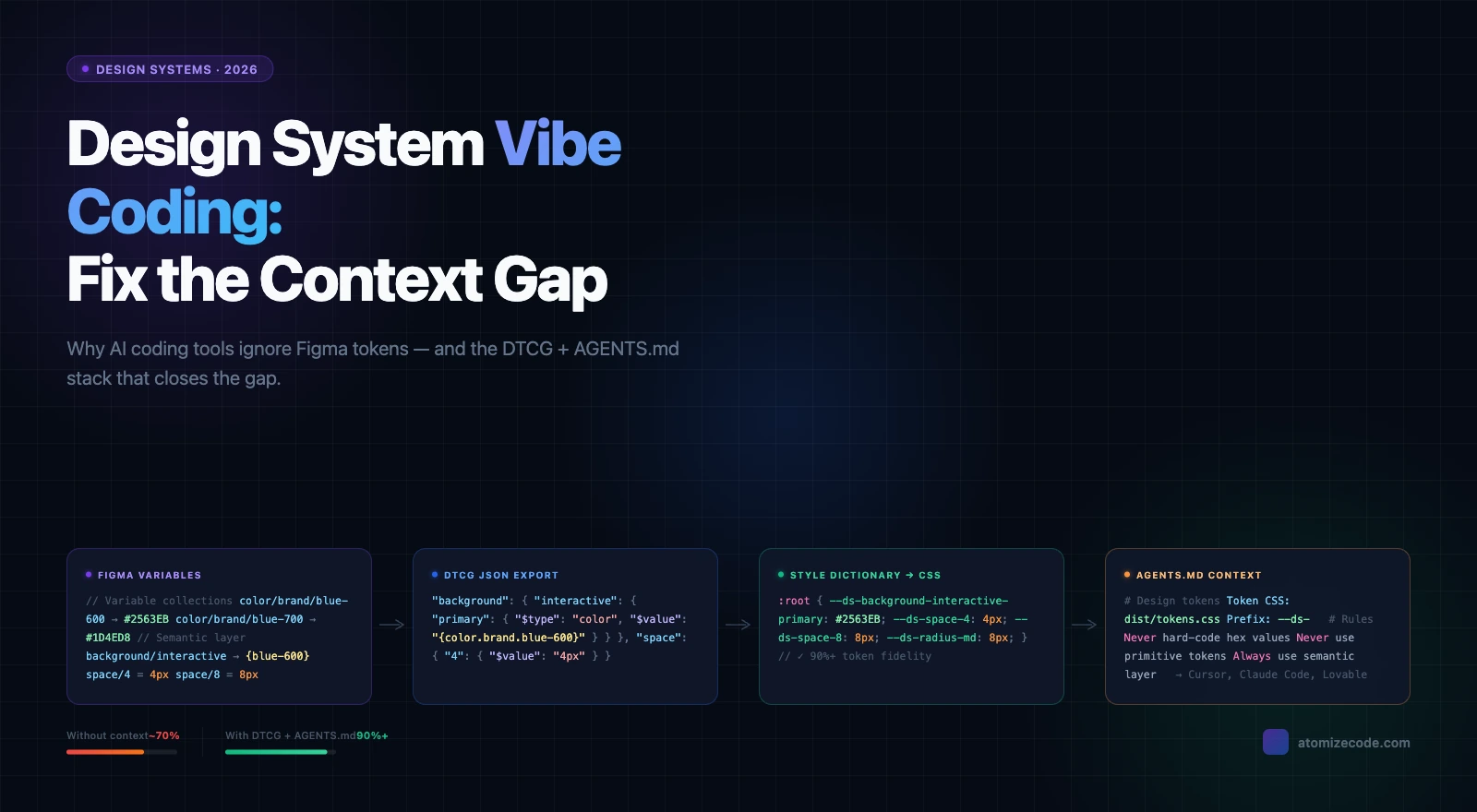
Figma Plugins for Tokens, Git Sync & Design Workflows
Which Figma plugins handle token export, Git sync, changelogs, and DTCG pipelines — and how to pick the right one for your design system stack.
Token Studio, Atomize, and Variables Sync are the strongest Figma plugins for design system token workflows — they handle DTCG export, Git sync, and multi-mode output where native Figma export falls short. No single plugin covers every segment: export, Git sync, and changelog generation are three distinct pipeline problems that each require a different tool shape. This guide classifies the main plugin categories, explains when each type earns its place in the stack, and gives you a decision framework for combining them.
Testing dozens of export plugins while building Atomize, we found one consistent failure mode: most tools export Figma Variables as flat key-value pairs without preserving the primitive-to-semantic alias structure. You get a file of resolved values - background/page: #f9fafb - but not the information that background/page references gray/50. That relationship is exactly what makes theming and dark mode work in a build pipeline. Any export that resolves aliases at export time loses the layer structure that multi-mode systems depend on.
The Core Problem: Variables Stuck in Figma
Figma Variables are file-local by default, which is the root cause of most token drift. Design decisions that belong in code stay trapped on the canvas: a designer updates color/interactive/default, engineering never hears about it, and by next sprint someone hard-codes the old hex. That manual gap compounds across every sprint without a structured export pipeline. Building Atomize, we saw this pattern in nearly every team that came to us mid-drift — the problem was not the tool choice, it was the absence of any automated connection at all. Closing that gap is the one job every plugin in this guide is hired to do.
Closing the Figma-to-code gap requires a pipeline: Figma Variables → structured export → review → codebase. The plugins discussed below handle different segments of that pipeline.
Category 1: Token Export Plugins
Token export plugins are the entry point for every design system pipeline — they read Figma Variable collections and write structured output your build step can consume. Most teams need this before anything else because even a well-organized Variable structure is invisible to engineering without a reliable export path. When testing export plugins for Atomize, the critical differentiator was whether the tool preserved the primitive-to-semantic alias chain or resolved it away to flat hex values at export time. Choose a plugin that writes alias references intact; without that layer, multi-mode theming and dark mode fall apart in the build pipeline.
What to check before adopting one: does it respect your collection hierarchy (primitive vs semantic)? Does it handle modes (Light/Dark, Compact/Default) as separate theme files or as nested keys? Does it export Number variables for spacing and radius, or only colors? Atomize covers this category: it reads all Variable types, maps collection structure to token file structure, writes JSON, CSS, or TypeScript ready to import, and can sync token changes directly to GitHub.
When you need export only
Export-only tools are enough when your team runs a build step — Style Dictionary, a custom script, or a framework plugin — that transforms the token file into platform assets. You own the pipeline; the Figma plugin is the source connector.
Category 2: Git Sync Plugins
Git sync plugins transform a token update from a designer's local action into a reviewable software change — they commit directly to your repo or open a pull request without requiring a developer handoff. That matters because the manual Slack-to-engineer handoff is where token changes most often go missing or get applied inconsistently. On teams that adopted Git sync through Atomize's GitHub integration, the number of hard-coded value regressions dropped because every token change now had a PR, a diff, and a named reviewer. Set up ownership rules before you enable sync: define who approves on the design side and what happens to a breaking rename mid-sprint.
Tools in this category (Tokvista, Token Sync, and similar) typically authenticate against GitHub, show a visual diff of changed values before commit, and let you map Figma collections to output files in the repo. The harder questions are ownership and process: who approves the PR on the design side? What happens if a designer pushes a breaking token rename mid-sprint? Define those rules before the plugin does.
When teams migrated from Tokens Studio's Git sync to Atomize's GitHub integration, the most consistent discovery was that Tokens Studio's default export merged the Primitives and Semantic collections into a single flat JSON file. Style Dictionary could parse it, but splitting Light and Dark mode output required a manually written transform config that most teams had never set up. Atomize's export writes one file per collection by default, which maps directly to Style Dictionary's multi-source input format — the Light and Dark split is automatic, with no extra config step between the Figma file and production CSS.
When you need Git sync
Git sync earns its place on teams where the design systems team does not own the repo directly — a platform or frontend team merges the token file. It also pays off when the token surface is large enough that informal Slack handoffs cause drift. On smaller teams where a designer has repo access and runs a script, export-only is often simpler.
Category 3: Changelog and Diff Plugins
Changelog plugins make token releases legible to non-engineers by pairing the machine-readable JSON diff with a human-readable summary of what actually changed. Without them, stakeholders either receive a raw JSON diff they cannot interpret or a designer’s Slack message that says “I updated some blues.” Vitalina found that teams shipping tokens more than twice per sprint spent disproportionate time fielding “what changed?” questions until a changelog plugin replaced ad-hoc messages with structured release notes. Treat every token release like a software release — version it, describe it, and ship the changelog alongside the file.
Delta is an example in this category: it distinguishes visual changes (the actual color moved) from metadata changes (a description was edited), so changelogs stay signal-dense rather than noisy. The underlying habit matters more than the specific tool: treat every token release like a software release. Version, describe, communicate.
When you need a changelog plugin
Once you have more than a handful of token updates per sprint, manual changelogs become a bottleneck. If designers are currently writing “I updated some blues” in Slack, a changelog plugin replaces that with a structured diff that engineering can act on.
Plugin categories compared
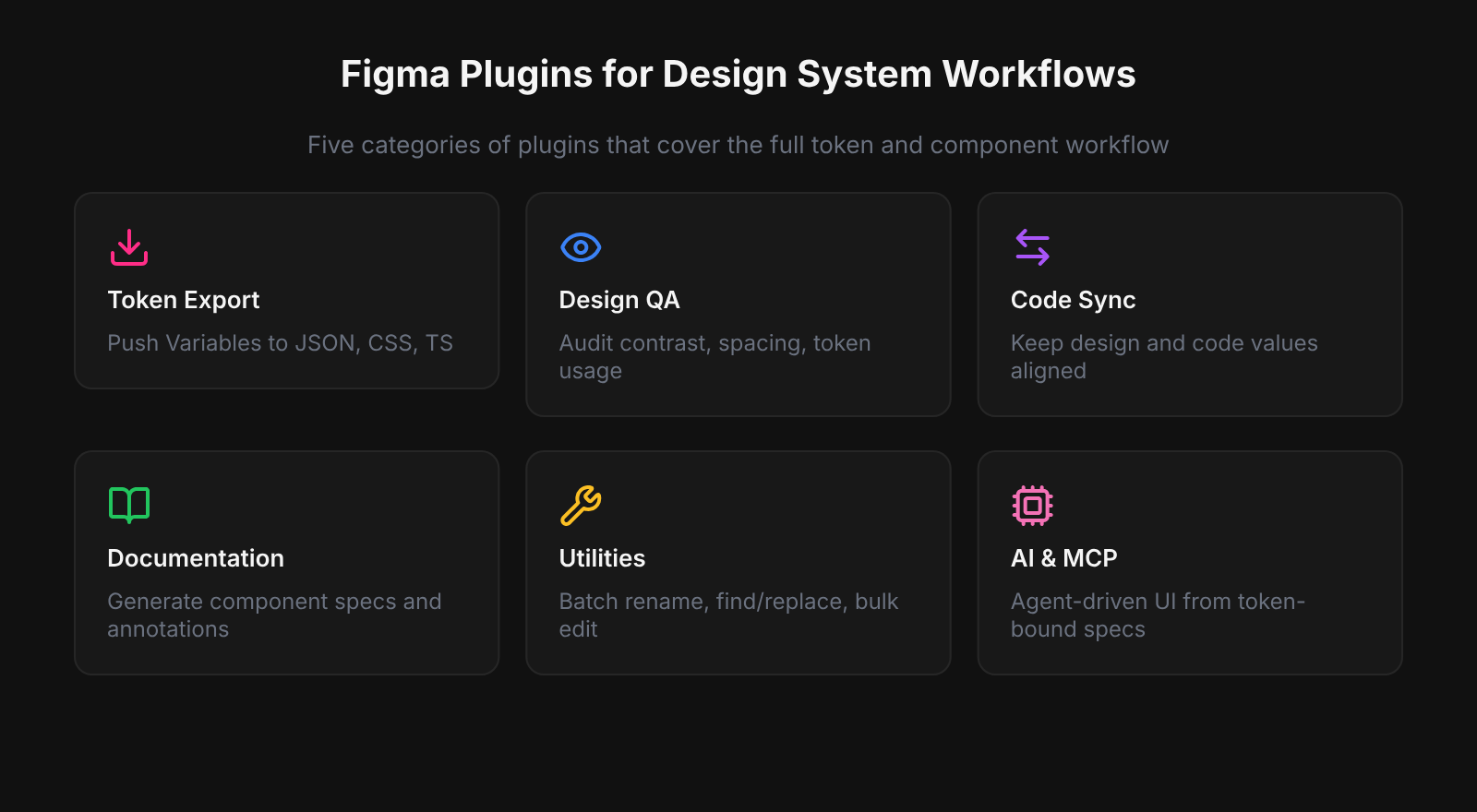
| Category | When to use it | Key benefit | Main limitation |
|---|---|---|---|
| Token export | You own the build step (Style Dictionary, custom script) | Simple, low overhead | Manual trigger; no version history in the plugin |
| Git sync | Engineering reviews and merges token changes via PR | Versioned, auditable token changes | Requires process agreement upfront |
| Changelog / diff | Frequent token releases with multiple stakeholders | Human-readable diff alongside JSON output | Does not replace release notes or PR descriptions |
DTCG JSON: The Format Connecting Figma to Pipelines
DTCG JSON is the format that makes token files portable across tools — adopt it and you stop writing custom parsers every time you add a platform target. The constraint is that it enforces strict $type metadata (color, dimension, duration, shadow), which means a messy Figma Variable structure produces a messy or invalid DTCG file. When Atomize standardized its export to DTCG, teams integrating with Style Dictionary reduced pipeline setup from days to hours because the format contract was already satisfied upstream. Structure your Figma Variables cleanly at the source so the DTCG output is immediately usable, not a starting point for manual fixes.
In practice, teams pair DTCG output with Style Dictionary or a custom build step to generate platform-specific assets: CSS custom properties for web, Swift constants for iOS, color resources for Android. The benefit is that the same source JSON compiles to multiple platforms without maintaining separate token files per target. The cost is that DTCG strictness around $type means your Figma structure needs to be clean: no color tokens stored as strings, no unitless numbers where dimensions are expected.
Line-height: the small friction point that trips pipelines
Line-height comes up repeatedly in design systems threads because Figma expresses it as a percentage or absolute value while CSS often expects a unitless multiplier and some platforms want pixels. Resolve the mapping upfront: define whether your line-height tokens are relative (e.g. 1.4 for body) or absolute (e.g. 22px) and document the expected output type in the DTCG $type field. Fix this in the token structure, not in post-processing scripts.
Design System Files vs Plugins: Different Jobs
Library files and plugins serve different jobs — conflating them is one of the most common reasons design systems drift. A library file (shadcn-style kit, community component set, internal starter) is a one-time accelerator: it gets a new Figma file organized in hours rather than weeks. But it does nothing after that initial setup. Teams that mistake a well-organized library file for a functioning design system skip the export and changelog habits that keep Figma and the codebase aligned; within a few sprints, tokens diverge and the library becomes a reference artifact rather than a live source of truth. Use the library to start; use plugins to sustain.
AI and MCP Integrations: Prototyping, Not Pipelines
AI and MCP integrations accelerate exploration but cannot replace governed token pipelines — treat them as fast prototyping tools, not production handoff solutions. Design systems require versioned, reviewed, accessible outputs; AI scaffold generation skips all three gates by default. At Atomize we use MCP-assisted iteration to explore layout and component variants quickly, then feed the results back through the token export and review pipeline before anything merges. The practical rule: AI output is exploration until it has passed the same review a designer or developer would face — document that boundary explicitly in your workflow.
How to Pick a Plugin for Your Stack
- Start with your output format. Find out exactly what your repo’s build step expects (DTCG JSON, flat JSON, CSS variables, SCSS map) before evaluating any plugin.
- Map your collection structure. A plugin that flattens primitive and semantic tokens into one file loses the mode separation you need for dark mode. Verify it handles multi-collection output.
- Test mode export. Switch to Dark mode in the plugin’s preview; check whether the output is a separate file or a nested key. Match your CSS architecture expectation.
- Check Number variable support. Spacing and radius tokens in Variables are Numbers; not all plugins export them alongside Color.
- Assess the review step. Export-only is fine if you own the merge. Git sync is better if another team reviews and merges token changes.
- Plan for plugin failure. Can you export Variables manually (Right-click collection → Export to JSON) and feed them into Style Dictionary if the plugin disappears? You should never be fully locked in.
The recurring insight across design systems communities: tokens managed like API contracts — versioned, reviewed, explained — outlast tokens managed by convention and trust.
Related Reading
- Figma Design Tokens: The Complete Guide - how to structure primitives, semantics, and modes in Figma Variables
- Design System Parity (Figma & Code): What Actually Works - why token-level sync works but component-level sync remains unsolved
- How to Build a Design System in Figma - step-by-step including the token export pipeline
Final verdict - Figma Design System Plugins
The right combination is one export plugin, one sync mechanism, and one changelog tool — matched to your team's actual review process, not the most feature-complete option available. Every design system pipeline fails at the handoff: the moment a change leaves Figma and has to reach engineering through a human relay, drift accumulates. The teams that resolved this durably using Atomize were not the ones with the most sophisticated tooling — they were the ones who defined ownership, output format, and review gates before installing anything. Pick the minimum stack that closes your specific handoff gap, then layer complexity only when a real bottleneck demands it.
Start with an export plugin (reads Variables, writes JSON/CSS/TS). Add a Git sync plugin when token changes need a pull request review step. Add a changelog plugin when you have frequent token updates that engineering needs to track.
Yes — right-click a collection and choose Export to JSON. The format aligns with DTCG structure. You then need a build step (Style Dictionary or similar) to transform that JSON into platform assets. Plugins like Atomize automate and extend this into CSS, TypeScript, and multi-target output.
DTCG (Design Tokens Community Group) is a W3C format for portable token JSON ($value, $type per token). Plugins that support it let you share token files between Figma, Style Dictionary, Theo, or any DTCG-compatible pipeline without custom parsers.
Decide upfront whether line-height is relative (e.g. 1.4 unitless) or absolute (e.g. 22px) and encode it consistently as a Number variable with a documented $type in your pipeline. Fix the mapping at the source, not in post-processing.
No. A library file is a starting point — a Figma file with components and Variables pre-built. A plugin is a tool that operates on your file. You need both: a library to get organized, a plugin to keep tokens synchronized with code.